Smart Home Installation Drills: Precision First
By Marco Silva • 11th Mar
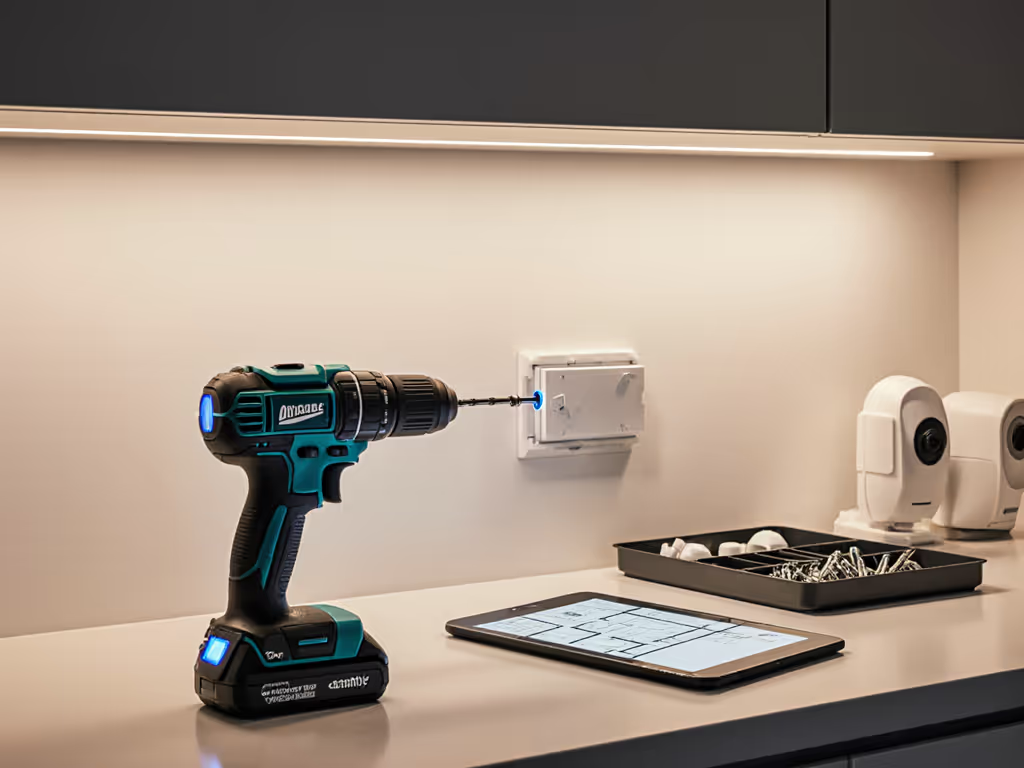
The Hidden Complexity of Smart Home Installation Drilling
When you're drilling mounting holes for door sensors, running wiring through wall studs, or installing smart thermostat backplates, an automation project drill isn't just a convenience, it's the difference between a clean retrofit and a frustrating afternoon of stripped fasteners, damaged drywall, and misaligned components. Unlike the brute-force demands of demolition or deck-frame work, smart home installation drilling requires finesse, repeatability, and a tool that doesn't tire your hand and wrist across dozens of holes. The stakes are lower in raw power, but the precision expectations are higher.
The challenge is that most builders and homeowners default to whatever general-duty drill they've had sitting in the garage, unaware that the right home automation tool kit changes both the speed and quality of the work. Off-spec torque, poor clutch control, and grip fatigue compound across a four-hour smart home retrofit, leaving your hands sore and your connections unreliable.
Why General-Purpose Drills Underperform in Smart Home Setups
Spec-to-Reality Gaps
When a drill claims 1,400 inch-pounds of torque, that headline number doesn't tell you whether it'll bore a clean 1-inch hole through a stud for a conduit run, or whether it throttles under load after five minutes in your attic. Manufacturer ratings measure peak torque in an ideal lab scenario (zero resistance, fresh battery, cool motor). To decode torque, RPM, and chuck size claims for real-world use, read our guide to drill specifications. Under real conditions, voltage sag and thermal throttling cut usable power by 10-20% within the first 10 holes, especially with larger bits or denser materials like concrete anchors for outdoor camera mounts. Pros and serious DIYers catch this gap quickly; casual users buy a high-spec drill and feel disappointment when it bogs.
Ergonomics Over a Full Installation Shift
A drill that feels light and well-balanced for two holes starts to punish your shoulder and wrist grip by hole thirty. I once worked alongside an apprentice tackling a ceiling sensor installation with a heavy hammer drill (no side handle) and he kept rubbing his wrist after just ninety minutes. We swapped to a shorter, better-balanced compact drill, added a side handle, and dialed in the clutch and cadence. His output rose noticeably and the pain faded within minutes. That day reinforced a lesson many toolrooms learn the hard way: fatigue is a hidden cost; balance beats raw weight every day.
Smart home work is often overhead, in confined spaces, or on ladders. A 6-pound drill with the battery attached becomes brutal. A 2.5 to 3.5 pound compact drill with good weight distribution lets you work longer with fewer breaks, higher accuracy, and less risk of hand slip or misalignment.
Precision and Bit Retention
When you're drilling mounting holes for a temperature sensor or running a 3/8-inch spade bit through a joist for low-voltage wiring, chuck runout (wobble) and poor bit retention cause frustration. Bits slip mid-bore, forcing you to back out, reset, and try again. Drywall tears. Wood splits. The fastener hole sits slightly off-center, forcing adjustment during install. A smart home wiring tool with a tight chuck and solid one-handed control prevents these micro-failures that add up across a retrofit. For technique that keeps bores straight without a drill press, see how to drill straight holes.
Inadequate Lighting and Reach
Many retrofit jobs occur in dim cavities (between studs, inside cabinetry, behind existing trim, or in tight mechanical rooms). A drill without built-in LED lighting or with poor visibility around the bit tip adds 30 seconds per hole just to reposition yourself for sightlines. Similarly, precision drilling for electronics and low-voltage runs often needs access to spots a standard drill head can't reach. A compact head or right-angle option saves time and reduces the temptation to force an awkward angle.
Multi-Drill Comparison: Matching Tool to Smart Home Tasks
Compact, Lightweight Leaders for Fine Control
Skil PWRCORE 20V Drill (2.23 to 2.6 lbs, 400 in-lbs peak torque) excels in light sensor mounting and fastener-driving work. Its featherweight design makes it ideal for overhead drywall penetrations and cabinet work, where fatigue compounds quickly. The trade-off is torque. It's not designed for masonry anchors or dense wood boring. For a primarily indoor smart home retrofit with wireless sensor clusters and low-voltage runs, this is speed-focused and wrist-friendly.[1]
DeWalt 20V MAX XR Hammer Drill (3.5 lbs, high torque, 3-mode adjustable LED) brings mid-range power with solid ergonomics. The multi-mode LED and rubberized grip reduce hand strain on ladder work, and the adjustable power modes let you dial down to finesse-level for drywall without bog-down. It's versatile enough to handle outdoor camera mounts into stucco or concrete, yet light enough for repeated overhead use.[4] For step-by-step mounting techniques on cameras, sensors, and sirens, use our smart security installation guide.
Ryobi 18V One+ Compact (2.7 lbs, 750 in-lbs, integrated LED, ergonomic grip) ranks as a balanced choice for serious DIYers. At 750 in-lbs, it delivers enough torque for fast boring in dimensional lumber and soft masonry, yet stays compact and manageable. The ecosystem compatibility (over 100 tools on the Ryobi One+ platform) makes it an attractive entry point if you're building a full smart home system and may later add a mini impact driver for low-voltage box fasteners.[1][4]
Mid-Weight Precision Options for Mixed Tasks
Milwaukee 2904-20 Hammer Drill (18V, 1,400 in-lbs, 3.3 to 4.91 lbs) is the performance standard for homeowners tackling mixed installations, both interior drywall runs and outdoor concrete anchor work. Its autostop control prevents wrist injury from sudden catch-up (kickback), and the included side handle keeps your wrist and forearm aligned during high-torque tasks.[1][4] The challenge is weight: with battery, it tips toward 5 lbs, which is fine for 10-15 minutes of active drilling but tiring for an afternoon of overhead sensor runs. Professionals often rotate this tool into their arsenal for the heavy-lifting portion of a job, then switch to a compact tool for the repetitive precision work.[2][4]
Bosch 18V Brushless (3.0 lbs, precision-tuned torque, sensitive clutch) deserves mention for its anti-strip clutch, crucial for driving fasteners into soft materials without spin-out. It's lighter than the Milwaukee and aimed at precision-first users. The brushless motor delivers up to 57% longer runtime versus brushed alternatives, meaning fewer battery swaps mid-job.[1]
Makita 18V LXT (1,250 in-lbs, 4.0 lbs, auxiliary side handle, LXT platform with 325+ tools) bridges compact power and ecosystem breadth. If you're planning to grow your smart home setup into broader renovation work (adding a sander, grinder, or flashlight from the same LXT platform), Makita's ecosystem reduces cost-per-tool and charging infrastructure.[1][4]
Heavy-Duty Specialists (When Overkill Is Justified)
FLEX 24V Brushless Cordless Hammer Drill (1,400 in-lbs, 5.1 to 6 lbs, high speed) dominates when your retrofit includes structural drilling, boring 1-inch holes through doubled joists for major conduit runs, or drilling into dense concrete for exterior mounts. It can drill 1/2-inch twist bits and 1-inch spade bits in under 3 seconds.[1][4] The weight, however, restricts its daily-use role to the contractor segment or professional installers who plan the job to minimize repetitive overhead work. For casual DIY smart home retrofits, this is overkill and fatiguing.
Key Performance Metrics: What Translates to Smart Home Outcomes
No-Load Speed vs. Under-Load Endurance
Your drill's headline RPM (no-load speed) is half the story. What matters is how fast it actually bores through the target material and maintains speed across a dozen consecutive holes. A 2,100-RPM drill that throttles to 1,600 RPM after five minutes under load delivers slower cycle times than a 1,800-RPM tool that stays constant.[1][2] For smart home work, consistency beats peak speed, you want predictable hole timing so you can estimate your schedule accurately.
Battery Runtime Per Task Type
Most specs quote total Ah (amp-hours), which doesn't translate to "holes-per-charge." For planning purposes, check our holes-per-charge guide that maps common materials and bit sizes to realistic runtime.
Instead, think in terms of material and bit size:
- 1/8-inch pilot holes in drywall: 30-50 holes per 2.0Ah battery (depending on depth).
- 3/8-inch holes in wood studs: 15-25 holes per 2.0Ah battery.
- 1/2-inch concrete anchors: 5-10 holes per 2.0Ah battery (fastest voltage sag).
A compact 2.0Ah battery may be lighter, but a 4.0Ah or 5.0Ah offers fewer interruptions and charging pauses during a 4-hour retrofit. Pros typically carry two charged batteries and swap between them, eliminating downtime.[1][2]
Torque Delivery Curve and Clutch Precision
A drill with a sensitive, adjustable clutch (like Bosch's anti-strip feature) prevents fastener spin-out when you're driving trim screws into hollow-core door frames or soft plastic backplates. Drills without clutch control or with sluggish clutches either deliver full torque (stripping fasteners) or leave you hand-driving the final turns (defeating the tool's purpose). For smart home work, clutch responsiveness is under-rated in spec sheets but critical in practice.[1][4]
Selecting Your Smart Home Installation Drill: Decision Framework
Primary Installation Type: Interior Retrofit
If your smart home project is mostly drywall holes, low-voltage wiring runs, and cabinet/trim work:
- First choice: Ryobi 18V One+ Compact or Skil PWRCORE 20V. Both weigh under 3 lbs, deliver sufficient torque for fast pilot holes and fastener driving, and stay comfortable for 3-4 hours of repetitive work. The Ryobi adds broader ecosystem access; the Skil prioritizes weight savings.
- Backup: DeWalt 20V MAX XR if you want more lighting control and power modes for drywall without tear-out drilling.
- Avoid: FLEX 24V or Milwaukee 2904-20 unless you're also doing concrete or masonry in the same day, you will fatigue unnecessarily.
Mixed Interior + Exterior (Concrete, Stucco, Masonry)
If your retrofit includes outdoor camera mounts, doorbell mounting plates into concrete, or anchor installation:
- First choice: Milwaukee 2904-20 for its proven torque and hammer mode. Budget extra battery charge time and rotate with a compact tool for drywall finesse work to manage fatigue.
- Alternative: FLEX 24V if you're doing bulk concrete drilling and want maximum speed and cooling (brushless efficiency).
- Compromise: Makita 18V LXT for balanced power with slightly lower weight than Milwaukee, plus ecosystem growth.
Solo DIYer or Small Team?
Solo installers benefit from lighter, faster-charging tools (Skil, Ryobi compact) to keep pace with their own hands. Small crews (2-3 people) gain from a dual-tool strategy: one lightweight precision drill, one mid-weight hammer drill. This avoids the fatigue-slow-down that single heavy tools cause and keeps the crew synchronized.[2]
The Role of Accessories and Setup in Smart Home Work
Your drill is only part of the equation. Stress the setup, as the saying goes:
- Side handle: Non-negotiable for overhead or high-torque work. It keeps your wrist straight and forearm aligned, reducing strain by 30-40% over extended overhead use. Milwaukee and Makita include them; others sell them separately.
- Bit selection: Carbide-tipped spade bits bore faster and cleaner through studs. Masonry bits with proper flute design reduce binding. Pilot bits matched to your fastener size prevent drywall blow-out.
- LED ring light (external): If your drill's LED is weak, a magnetic clip-on ring light ($15-30) saves rejigging for every hole.
- Clutch training: Take 30 seconds to dial your clutch setting to the fastener size before production. Drilling 50 holes with a mis-set clutch wastes more time than proper setup.
Real-World Scenario: A 4-Hour Smart Home Retrofit
You're retrofitting a 2,000-square-foot home with a new thermostat, ten door/window sensors, an outdoor doorbell with chime, and three smart switches. Your tasks break down roughly as:
- 80 drywall pilot holes (1/8-inch) for sensor mounting brackets.
- 40 wood screw fasteners into studs and trim.
- 8 concrete anchor holes for the exterior camera and doorbell (1/2-inch, stucco face).
- 20 low-voltage wire runs (3/8-inch bits through joists and studs in the basement and walls).
Optimal tool pairing: Start with your compact drill (Ryobi, Skil, or Bosch) for the drywall and fastener work, this accounts for 120 of your 148 holes and can be completed in 2 to 2.5 hours without fatigue. Switch to your mid-weight or hammer drill (Milwaukee 2904-20 or Makita) for the concrete anchors and larger wire-run bits. By segregating tasks, you keep your hand fresh, minimize battery stress, and reduce the overall fatigue tax on quality.
Battery planning: Two 2.0Ah batteries for the compact tool (rotate between work and charge); one 4.0Ah or 5.0Ah for the hammer drill (concrete work is less frequent, so you need fewer swaps). Total charge time: 4-5 hours with dual-port charging.
Frequently Overlooked Factors
Temperature and Runtime Unpredictability
Lithium batteries deliver 10-15% less capacity in cold conditions. If you're drilling an exterior retrofit on a 45°F morning, your battery runtime will feel shorter than manufacturer specs. Plan accordingly. Carry an extra battery and keep spares indoors until use.
Brushless Motor Efficiency
Brushless motors (found in FLEX, DeWalt, Bosch, and newer Ryobi/Milwaukee models) reduce heat and deliver up to 57% longer runtime compared to brushed alternatives because they eliminate carbon brush friction.[1] For all-day smart home work, brushless is worth the premium, you spend less time waiting for chargers.
Platform Lock-In and Future Growth
If you're building a "smart home system" mindset, your drill choice is also a battery platform choice. Milwaukee M18 FUEL, DeWalt 20V MAX XR, Ryobi One+, and Makita LXT are the major ecosystems. Each supports 100+ compatible tools. Before you buy, glance at whether you might later want a mini circular saw, oscillating multi-tool, or flashlight in the same platform. This ecosystem lens saves frustration and cost over 3-5 years.[1][2][4]
Summary and Final Verdict
The best smart home installation drill balances three non-negotiable factors: compact weight and balanced feel, strong under-load performance without thermal throttling, and fine clutch or trigger modulation to prevent fastener damage. Raw torque ratings mislead; real-world endurance and ergonomics determine both speed and quality.
For most homeowners and serious DIYers undertaking a mixed interior/exterior smart home retrofit:
- Prioritize the Ryobi 18V One+ Compact or DeWalt 20V MAX XR as your primary tool. Both keep fatigue low across 3-4 hours of work, deliver sufficient power for drywall and soft masonry, and offer ecosystem credibility if you grow your tool collection.
- Add a mid-weight hammer drill (Milwaukee 2904-20 or Makita LXT) for concrete and structural boring if your retrofit extends to outdoor mounts or deep joist runs. Rotate between tools to manage fatigue and prolong battery life.
- Budget for good accessories: side handle, quality bits, and a secondary battery to eliminate charging delays.
- Invest time in setup: dial your clutch, use the correct bit for each material, and leverage your drill's built-in or clip-on lighting. A well-configured lightweight tool outperforms a heavy, misconfigured one every time.
The hidden advantage of choosing precision-first over power-first is compound: fewer errors, faster cycles, longer workdays without hand pain, and installations your smart home system will serve reliably for years. That's where balance over bravado wins every day.
Related Articles